Is There a Scan Button on My HP Printer? [Explained]
Many HP printer users can’t find the scan button on their device and think about whether there is any scan button on the printer or not. If you’re suffering from the same confusion then we’re here to provide you with an accurate answer.
Basically, most HP printers don’t come with any scan button. You need to scan the document using your computer or mobile device. However, if you have an all-in-one printer, that can scan and print without being connected to any other devices, then it must have a scan button.
Don’t worry, we’ll explain everything in this article below about the scan button on your HP printer.
Which HP Printers Contain a Scan Button?
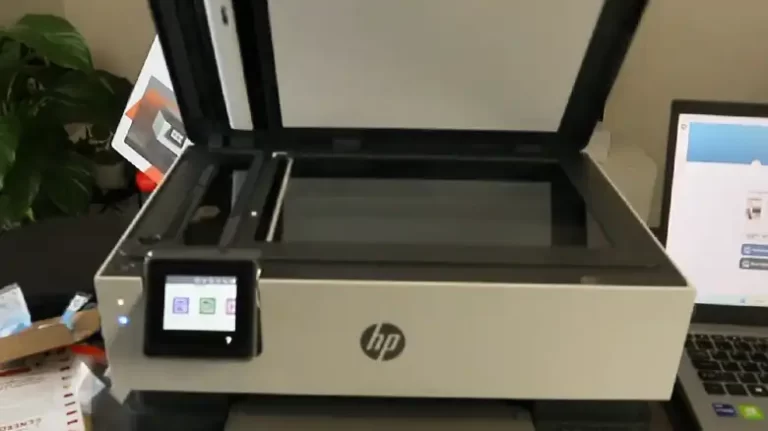
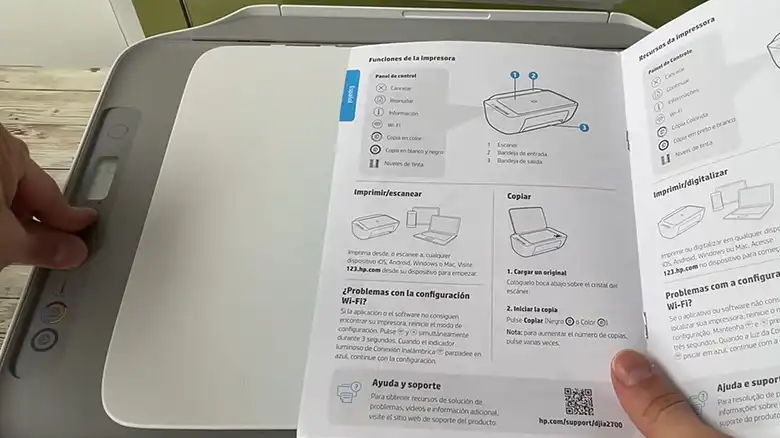
Normally, Hp printers are operated using a computer. But all-in-one printers can copy, scan, and print documents without any help from a third-party device. These printers have a screen and scan button.
So, you can find a scan button even on your Deskjet printer if that is all-in-one. Let’s see how you can scan and print using the scan button on the all-in-one printer.
How to Scan on HP Printer Using the Physical Scan Button?
Scanning and printing document using the scan button on an all-in-one printer is pretty much easier than you think. Here are the steps to follow –
Step 1: Load the main paper tray of the printer with some blank papers.
Step 2: Put the document or paper (that you want to scan) face down on the glass scanner. Ensure that each edge of the paper touches the sides that have arrows pointing toward it.
Step 3: Press the black copy button to scan and print the document in grayscale. If you want to get a color print, then press the colored copy button.
Which HP Printers Don’t Have any Scan Button?
Almost all the HP printers except all-in-one don’t have any scan button on the device. But in case you find any, it doesn’t work as the scan button on all-in-one printers. Let’s see what the scan button does on a regular HP printer.
So, Why There Is a Scan Button on Your Printer?
You may find a scan button on your regular HP printer. If pressing doesn’t scan your document, then you might think your scan button is damaged. Don’t worry, your scan button is completely fine and it doesn’t work that way.
The scan button on your HP Deskjet printer doesn’t scan and print documents. It just makes a copy of the document and makes it ready for faxing.
To scan or print a document you need to connect your printer to your computer first.
Then How to Scan on the HP Printer Without the Physical Scan Button?
You can scan your document on your HP printer in three different ways on Windows and using the HP smart app on MAC. Here are the methods to scan on your HP printer without the physical button –
- Using the HP Smart app.
- Using Windows Fax and Scan.
- Using Windows Devices and Printers.
Before the scan, you need to ensure the followings –
- Make sure your printer is turned on and connected to your computer.
- Ensure the paper tray is filled with blank papers.
- Ensure you have sufficient ink on your printer.
- Place the document that you wish to scan towards the scanner glass or in the ADF if you have more documents to scan.
You can check the video below to understand the detailed process of scanning using these methods visually.
Frequently Asked Questions And Answers
Where Is the Scan Button on My Printer?
Many printers don’t contain any scan button. It is because these printers need to connect to a computer using a USB cable or using a wireless connection. From the printer & scanner option on your computer, you’ll find the Scan button.
How Do I Manually Scan My Printer?
To scan a document manually, you need to connect your printer to your computer and scan the document from the computer. However, you can scan your document directly without using your computer if you have an all-in-one printer.
Can You Use a Printer Scanner Without a Computer?
Yes, you can use an all-in-one printer without a computer. But for a regular printer, you’ll need a third-party device. It can be a computer, tablet, or mobile device.
You might also find these useful: How to Scan with HP Deskjet Plus 4100 Printer, Why Won’t My Canon Printer Scan to My Computer? Reasons And Solutions, HP Scan to Computer Disabled.
Conclusion
All the facts about whether there is a scan button on an HP printer or not are explained in this article and we hope all your confusion is now cleared after reading this. If you still have any trouble finding the scan button on your HP printer, you can contact HP printer support and mention the model of your printer. They will provide you with an accurate solution.