
What Is 48-Bit Color Scan? Things You Need to Know
When you will go for scanning pictures or other stuff then you will find different color depth options. Basically, these scan bit systems help you to get more colors in your digital picture and as a result, you get great color composition. Among the scan bit system, the 48-bit color scan is widely used to get more color in the pictures.
The 48-bit color scan can be defined as when you scan a picture with a 48-bit color scan, that picture can capture trillions of colors. To know in depth about the 48-bit color scan, go through this entire article as we have explained what the 48-bit color scan is and other relevant things about it.
So, grab a chilled drink and start reading this article.
What does the 48-Bit Color Scan Mean?
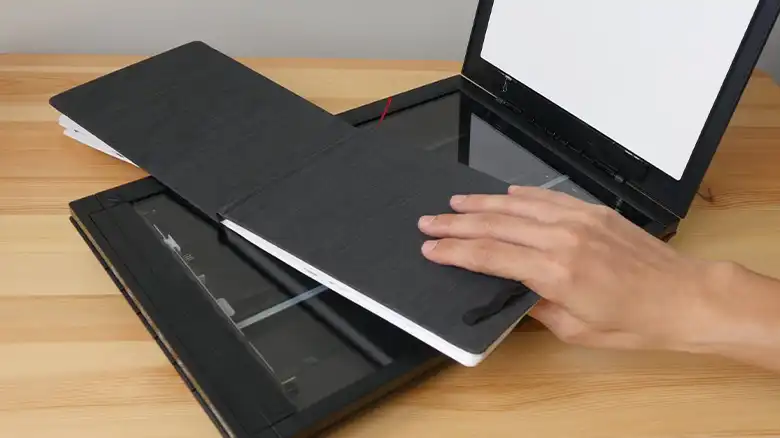
Color depth or scan bit system will bother you when you will be going to scan pictures. Among the other Scan Bit Systems, the 48-bit color scan is used for getting a large number of colors in the picture. In general, digital pictures have 3 types of color which are known as RGB. In RGB, R stands for Red, G stands for Green, and B stands for Blue. When you choose a 48-bit color scan, that time it divides into these 3 color channels, 16 bits per channel. Basically, the 48-bit color scan allows 281,474,976,710,656 colors.

Pros and Cons of 48-Bit Color Scan
Here we have shared the pros and cons of the 48-bit color scan. It will help you to achieve a depth of knowledge about the 48-bit color scan.
PROS
- You can get more bits per channel on your pictures. More channel means more color which is very helpful to get an outstanding output.
- You won’t get any differences between pixel colors.
- Colorful, saturated, and smooth picture.
- Pictures won’t have gradient colors. Gradient colors can reduce picture quality.
CONS
- Larger file size, will take up more space on your computer. Also, it will take time while open the folder.
- JPEG format doesn’t support 48-bit. So, you won’t be able to scan JPEG files by using it.
NOTE: Another issue with the 48-bit color scan is when you will view it on your monitor you won’t find any difference because the monitors are only able to display 24-bit.
When You Should Choose 48-Bit Color Scan over Other Scan-Bit Systems?
People basically choose other scan-bit systems over 48-bit due to the cons we have discussed. But it doesn’t mean it is prohibited to use. There you will get many situations where using a 48-bit color scan can be of help. Here we have stated about them –
- For Printing:
If you are going to print magazines, posters, or other things then the 48-bit color scan will get the first priority. As we have mentioned earlier that the 48-bit color scan eliminates the gradient effect. And as a result, you will get an outstanding printing output.
- For Editing
As aforementioned 48-bit scan pictures are larger in size, that’s why it has more digital information. More information means you will be able to provide more detailing, and more working space which will result in a better output.
- Future Proofing
Technology is upgrading day by day and you don’t know what is waiting for you in the future. It may come with a 48-bit monitor, who knows? And that time you will be able to enjoy the 48-bit color scanning supremacy.
Frequently Asked Questions And Answers
Should I scan 24-bit or 48-bit color?
If you want to scan a JPEG file or want a smaller file that can be viewed easily then you should go for 24-bit color. And if you want to get more detail on your picture then go for 48-bit.
What does color scan mean?
The color scan can be defined as the capability of capturing images in color. Also it helps to convert the image into a digital image.
What is bit depth in scanner?
The bit depth scanner or scanner’s bit depth stands for the number of bits used to represent each pixel on a digital image.
For related issues, see Should I Scan 24-Bit or 48-Bit Color Scans, Is There a Scan Button on My HP Printer, How to Scan on Canon Pixma MG2922.
Conclusion
Lastly, for a smoother and better digital image, the 48-bit color scan is a great choice. But for JPEG files, you won’t be able to use 48-bit. Hope that all of your confusion is cleared by now. If you have any further queries, let us know in the comment box.


