Canon vs Brother Laser Printer: An Expert Comparison
Laser printers are a popular choice for both home and office use, offering high-quality printing at a relatively low cost. However, with so many different laser printers on the market, it can be difficult to decide which one is right for you.
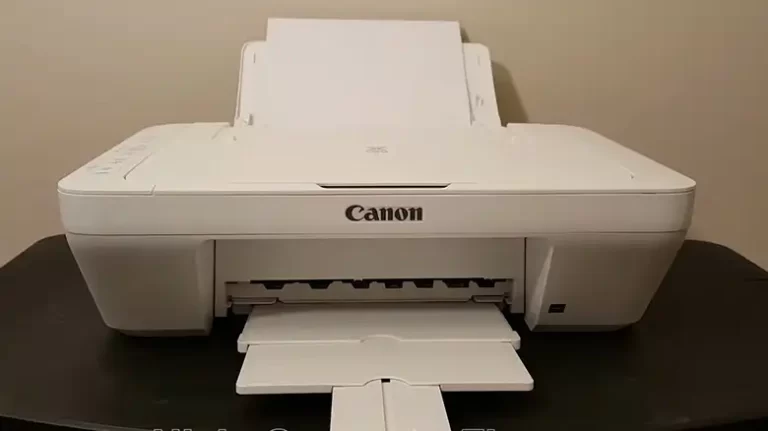
Two of the most popular brands of laser printers are Canon and Brother. Both brands offer a wide range of laser printers to choose from, but which one is the better choice? For example, if you need high-quality printing Canon is a great option for high-quality printing, especially photos and graphics. Their laser printers are known for excellent print quality compared to the Brother’s one.
In this article, I will compare Canon and Brother laser printers in terms of features, performance, and value. I’ll also discuss the pros and cons of each brand to help you pick the right one.

Side-by-Side Differences Between Canon Laser Printer and Brother Laser Printer
Canon and Brother have distinct technology and design approaches that lead to differences in their laser printer models:
1. Print Speed:
- Canon: Canon laser printers generally offer print speeds ranging from 15 to 50 pages per minute (PPM), depending on the model.
- Brother: Brother printers are known for their fast printing, with speeds typically ranging from 25 to 65 PPM.
2. Print Resolution:
- Canon: Canon’s print resolution is typically around 1200 x 1200 dots per inch (DPI) for monochrome and 600 x 600 DPI for color printing.
- Brother: Brother laser printers usually offer a resolution of 2400 x 600 DPI, providing sharp and clear text and images.
3. Connectivity Options:
- Canon: Many Canon models offer wireless connectivity, USB, and Ethernet options for easy connection to various devices and networks.
- Brother: Brother printers are also equipped with wireless connectivity, USB, and Ethernet options, ensuring versatile compatibility.
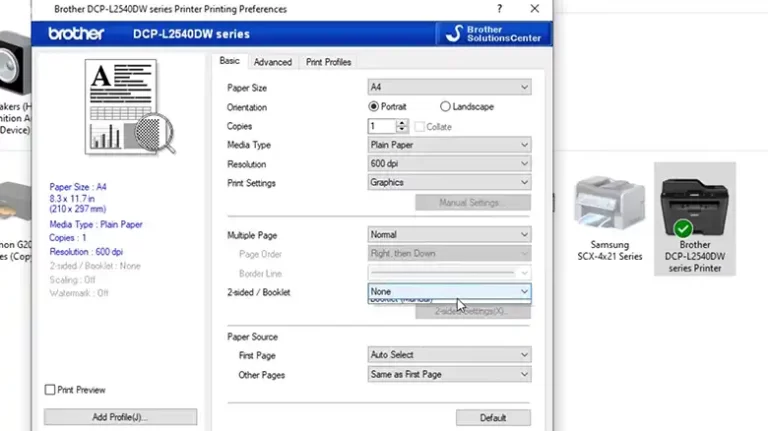
4. Duplex Printing:
Canon: Canon laser printers often feature automatic duplex printing, allowing you to print on both sides of the paper, reducing paper waste.
Brother: Most Brother printers also support automatic duplex printing, making them eco-friendly and cost-effective.
5. Paper Handling:
- Canon: Canon printers come with varying paper input and output capacities, with options for additional paper trays for high-volume printing.
- Brother: Brother printers are known for their excellent paper handling, often equipped with large paper trays and the ability to add additional trays.
6. Monthly Duty Cycle:
- Canon: Canon laser printers are designed for different levels of usage, with monthly duty cycles ranging from 10,000 to 50,000 pages.
- Brother: Brother printers offer a wide range of duty cycles, typically from 20,000 to 100,000 pages per month, suitable for high-volume tasks.
7. Toner Cartridge Yield:
- Canon: Canon’s toner cartridges come in various capacities, with standard cartridges yielding around 2,000 to 3,000 pages and high-capacity cartridges providing up to 7,000 pages.
- Brother: Brother offers high-yield toner cartridges, with capacities ranging from 2,600 to 20,000 pages, minimizing the frequency of replacements.
8. Additional Features:
- Canon: Canon printers often feature advanced color technology for high-quality color printing, while some models have built-in security features for data protection.
- Brother: Brother laser printers may include additional functions like scanning, copying, and faxing, making them versatile for office use.
9. Price Range:
- Canon: Canon printers are typically positioned in the mid to high price range, reflecting their quality and advanced features.
- Brother: Brother printers are generally more budget-friendly, making them an attractive choice for cost-conscious consumers.
10. Size and Design:
- Canon: Canon printers are known for their sleek and compact designs, making them suitable for smaller spaces and home offices.
- Brother: Brother printers are often larger and bulkier, which can be advantageous for high-capacity paper handling.
These data points should help you in making a more informed decision based on your specific needs and priorities. Consider your printing volume, speed requirements, print quality, and budget constraints when choosing between Canon and Brother laser printers.
Summary
| Criteria | Canon | Brother |
| Print Speed | Ranges from 15 to 50 PPM (model-dependent) | Ranges from 25 to 65 PPM |
| Print Resolution | Monochrome: 1200 x 1200 DPI Color: 600 x 600 DPI | 2400 x 600 DPI |
| Connectivity | Wireless, USB, Ethernet | Wireless, USB, Ethernet |
| Duplex Printing | Supports automatic duplex printing | Supports automatic duplex printing |
| Paper Handling | Varies; additional trays for high-volume | Large paper trays, expandable with additional trays |
| Monthly Duty Cycle | 10,000 to 50,000 pages | 20,000 to 100,000 pages |
| Toner Cartridge Yield | Standard: 2,000 to 3,000 pages High-capacity: up to 7,000 pages | High-yield: 2,600 to 20,000 pages |
| Additional Features | Advanced color technology, some models with built-in security features | Scanning, copying, and faxing capabilities |
| Price Range | Mid to high price range | Budget-friendly options available |
| Size and Design | Sleek and compact designs, suitable for smaller spaces | Often larger and bulkier, advantageous for high-capacity paper handling |
Do They Have Any Similarities Between Them?
Despite their differences, Canon and Brother laser printers share some common features:
- High-Quality Printing: Both brands offer excellent print quality, ensuring your documents look sharp and professional.
- Duplex Printing: Many models from both Canon and Brother support automatic duplex printing, saving you time and paper.
- Networking Options: Both brands provide networking options, so you can easily connect your printer to your home or office network.
- Reliability: Canon and Brother are both known for their reliability, with a track record of producing printers that stand the test of time.
Pros and Cons of Canon and Brother Laser Printers
Let’s weigh the pros and cons to give you a better understanding of which brand aligns with your specific needs.
Canon Laser Printer Pros:
- Exceptional Print Quality: Ideal for professional documents and high-resolution images.
- Energy Efficiency: Reduced energy consumption without compromising performance.
- Sleek Design: Compact and aesthetically pleasing for home offices.
Canon Laser Printer Cons:
- Higher Price Tag: Premium features come at a premium price.
- Slower Print Speed: Canon’s focus on quality sometimes results in slightly slower print speeds.
Brother Laser Printer Pros:
- High Print Speed: Ideal for high-volume printing in a fast-paced office environment.
- Affordability: Budget-friendly options without sacrificing quality.
- Durability: Built to withstand heavy use over time.
Brother Laser Printer Cons:
- Larger Size: Brother printers are bulkier and may not fit well in smaller spaces.
- Lower Print Quality: While still good, print quality might not be as sharp as Canon’s.
Which One to Choose Between Canon and Brother Laser Printer
So, which brand of laser printer is right for you? It really depends on your individual needs and budget. If you need a high-quality laser printer with a wide range of features, then Canon is a good option. If you are on a budget or need a laser printer with fast print speeds, then Brother is a good choice.
Here are some additional factors to consider when choosing between Canon and Brother laser printers:
- Print volume: If you print a lot of documents, then you will need a laser printer with a high monthly duty cycle. Canon and Brother both offer laser printers with a variety of monthly duty cycles, so you can choose one that is right for your needs.
- Print quality: If you need high-quality printing, such as for photos or graphics, then Canon is a good option. Canon laser printers are known for their excellent print quality.
- Features: If you need a laser printer with a specific set of features, such as automatic duplex printing or wireless connectivity, then be sure to compare the features of different Canon and Brother laser printers before making a purchase.
- Price: Canon and Brother laser printers are priced competitively, but there is some variation in price depending on the model and features. Be sure to compare the prices of different Canon and Brother laser printers before making a purchase.
Related reading: My Canon Printer Won’t Scan: Troubleshooting and Solutions, Can I Use Canon Photo Paper with HP Printer, Can I Use Epson Ink in Canon Printer.
Conclusion
Canon and Brother are both excellent brands of laser printers. They offer a wide range of laser printers to choose from, with a variety of features and price points. The best brand of laser printer for you will depend on your individual needs and budget