
[Answered] Is CanoScan 9000F Compatible with MAC Catalina?
Many Canon CanoScan 9000F users have reported an issue that the CanoScan 9000F isn’t working on macOS 10.15.7 (Catalina). If you’re facing the same, the first thing that may come to your mind is whether CanoScan 9000F is compatible with MAC Catalina.
Well, CanoScan 9000F has officially retired in the USA already. This means you won’t find any driver on the official website of Canon in the USA.
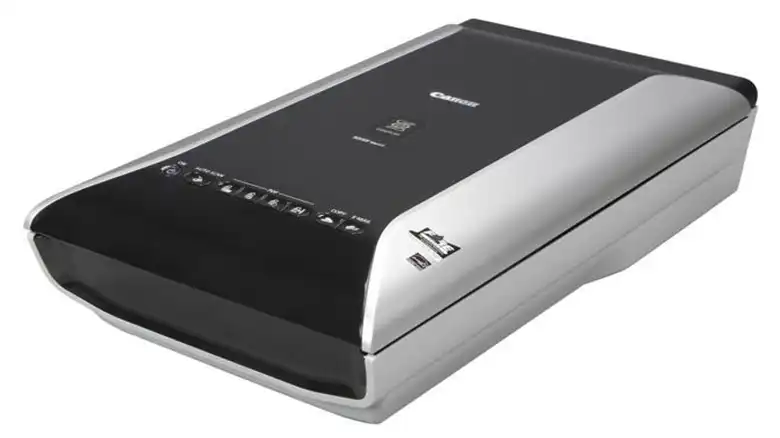
However, CanoScan 9000F Mark II is compatible with MAC Catalina in the USA but it isn’t compatible in other regions like the UK. If you have CanoScan 9000F outside the USA, then you need to downgrade your macOS. But if you’re from the USA, then you can use it on MAC Catalina.
Let’s discuss why CanoScan 9000F isn’t compatible with macOS Catalina in other regions and which macOS versions are supported by this scanner.
Should CanoScan 9000F Work on MAC Catalina?
Canon CanoScan 9000F is launched in June 2010 on the market. Due to an older generation of 9000 series scanners, it is compatible with only the older versions of macOS. CanoScan 9000F Mark II replaced CanoScan 9000F in 2013 and till then it isn’t compatible with MAC Catalina in the USA.
Only a certain version of drivers is compatible with this scanner; without a compatible one, the scanner won’t function. It supports up to macOS 10.13 (High Sierra).
So, if you have macOS Catalina (10.15.7), the software of CanoScan 9000F won’t work on that operating system. In that case, you need to downgrade the macOS and download the compatible driver of the macOS for CanoScan 9000F.
But if you are using your CanoScan 9000F Mark II in the USA, you can use it on MAC Catalina without any hesitation. You just need to, find the compatible drivers on your MAC Catalina. You can find all the compatible drivers of CanoScan 9000F here.
So, which OS is suitable for this scanner? Let’s check below.
What Version of OS is the CanoScan 9000F Compatible with?
We already have mentioned that CanoScan 9000F is an older version that is compatible with a few certain operating systems. If you’re from outside of the USA, then you can use it in certain operating systems. Here is the list of OS (Operating Systems) that are compatible with this scanner:
macOS
- macOS 10.13 (High Sierra)
- macOS 10.12 (Sierra)
- OS X 10.10 (Yosemite)
- OS X 10.9 (Mavericks)
- OS X 10.8 (Mountain Lion)
- Mac OS X 10.7 (Lion)
- Mac OS X 10.6 (Snow Leopard)
Windows OS
- Windows 8.1 (32-bit)
- Windows 8.1 (64-bit)
- Windows 8 (32-bit)
- Windows 8 (64-bit)
- Windows 7 (32-bit)
- Windows 7 (64-bit)
- Windows Vista (32-bit)
- Windows Vista (64-bit)
- Windows XP (32-bit)
- Windows XP (64-bit)
- Windows 2000 (32-bit)
Frequently Asked Questions And Answers
Is CanoScan 9000F Compatible With MAC?
Yes, CanoScan 9000F is compatible with Mac. But this product is now retired in the USA region. However, it may not be supported by all versions of macOS. You just need to download and install an updated driver file for the scanner. You can check the above to learn which macOSs are eligible for this scanner.
What Scanners Work with macOS Catalina?
Almost all the scanners work perfectly with macOS Catalina. Only a few older versions of scanners that supports only older drivers may not work with this OS and CanoScan 9000F is one of them.
Related reading: Is CanoScan 9000f Compatible With Windows 10? Explained Canon Scanners C, Why is My Microsoft Word Black on Mac? How to Fix, Microsoft Word Not Saving on Mac.
Conclusion
CanoScan 9000F is not compatible with macOS Catalina. The reason why it isn’t compatible with the macOS 10.15 and which macOS X is suitable for this scanner is explained in this article. So, after reading this, we hope you’ve found your answer and have learned how you can make your CanoScan 9000F make compatible with your device. If you have any other queries regarding this topic, don’t hesitate to ask in our comment section below. Thanks for reading; Have a great day.


